
When to use it
- You want to answer comments in one place instead of opening each channel's app.
- You're not sure how to reply and want a draft to start from.
- You want to clear out a pile of comments at once.
How it works
Open the Inbox
Open Inbox from the sidebar. The top shows how many comments are waiting for a reply and your 28-day response rate.
At the top right you'll see when comments were last fetched, a Live badge and Refresh. New comments on live channels arrive right away.
You start in the By post view, with posts that have comments waiting grouped by date. Each post shows a Needs reply badge and how many are done.
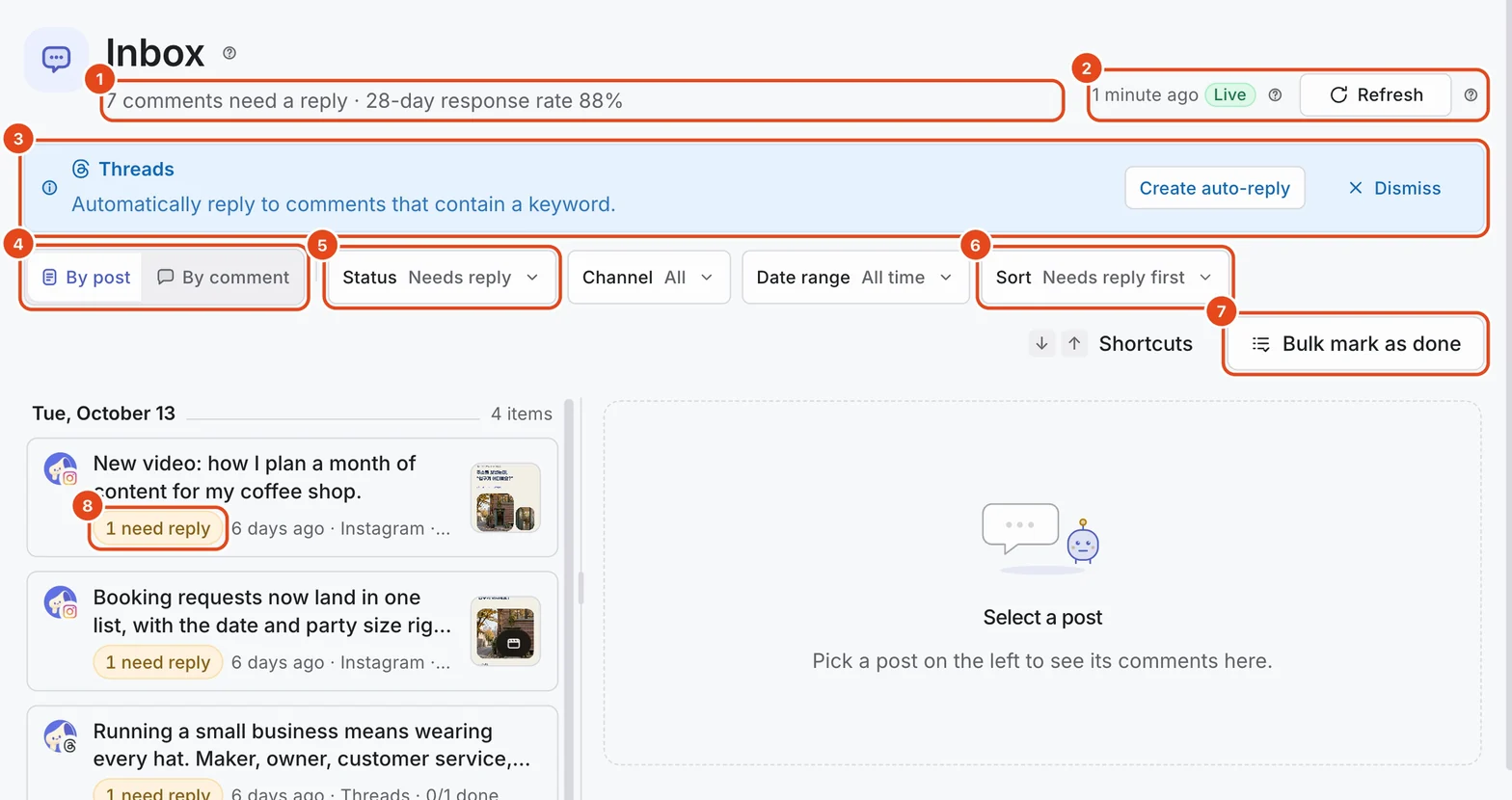
Press a post to open all of its comments on the right. To go through comments one by one, switch to By comment.
Narrow it down
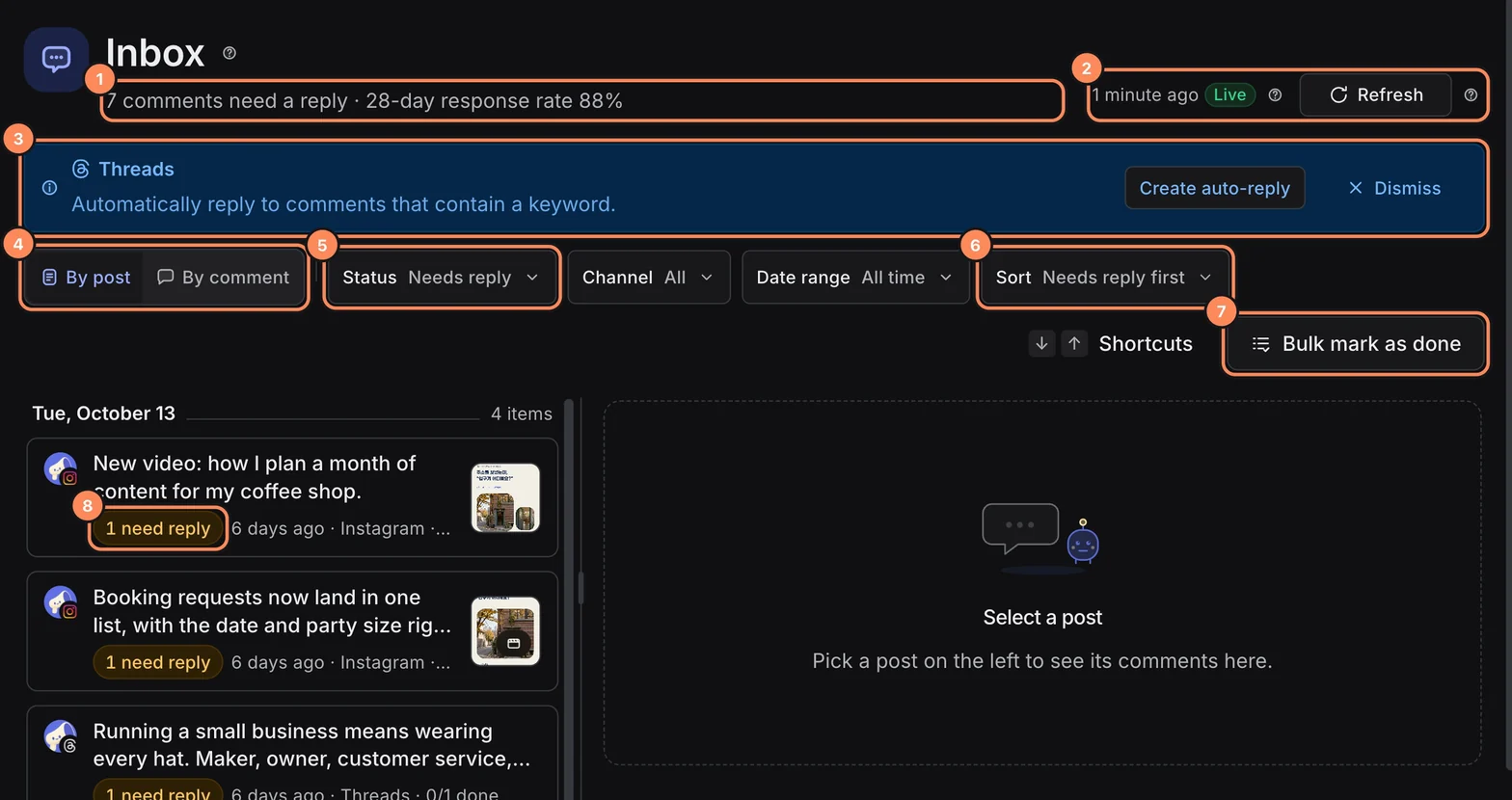
Under Status in the toolbar, choose Needs reply, Done or All. You start with Needs reply.
Turn on Unread comments only to see only comments you haven't opened yet.
With two or more channels, you can pick a channel. The date range goes from Last 7 days to Last 12 months, and you can sort by Oldest first, Newest first or Needs reply first.
Reply and get reply suggestions
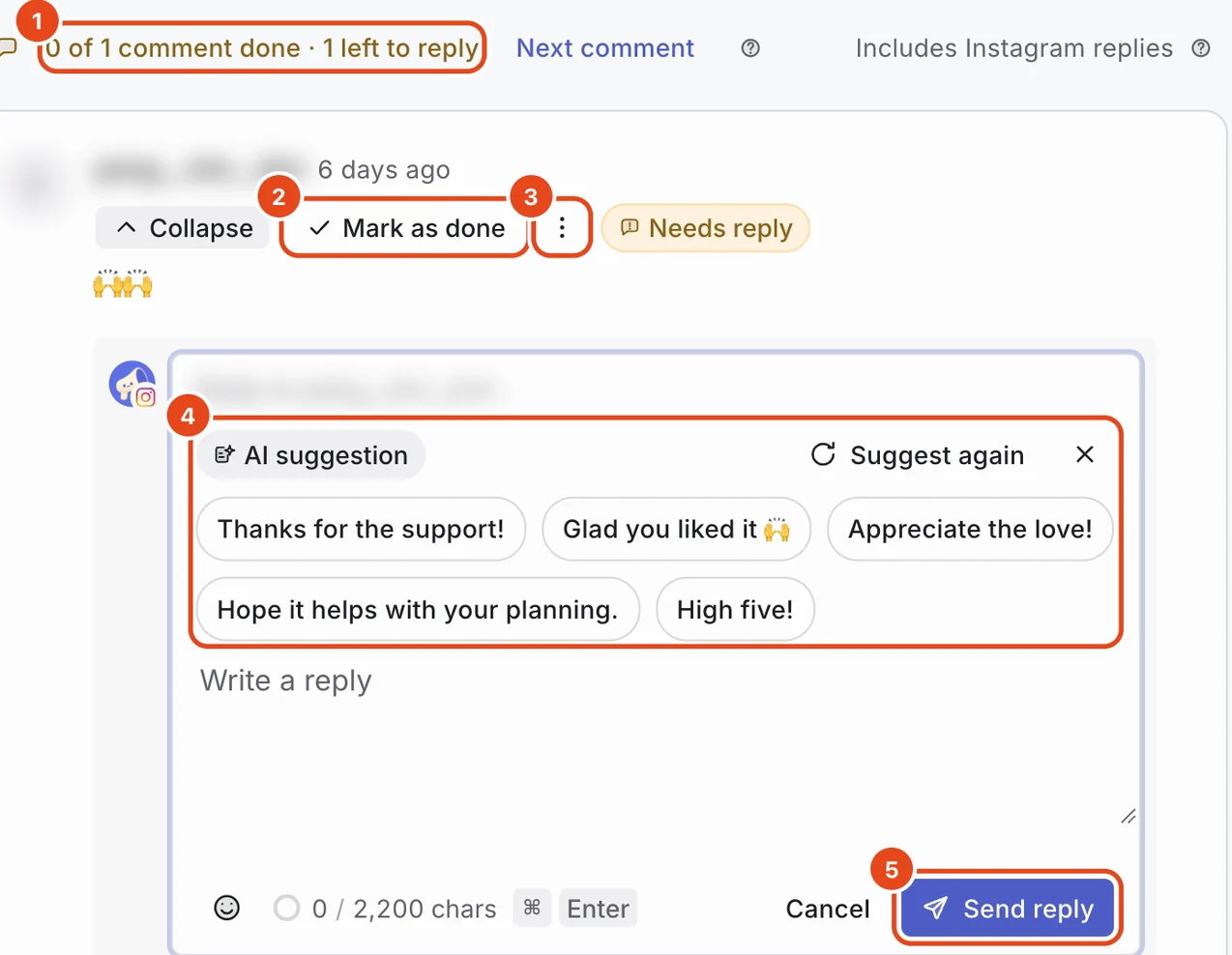
Press Reply on a comment to open the reply box. When you're done, press Send reply. The comment is marked Done.
Press Reply suggestions in the reply box and AI suggests 5 replies. The first time, a window shows what's sent to AI.
Press a suggestion to put it in the reply box. Edit it before sending, or press Undo to take it out. For different ideas, press Suggest again.

Mark comments as done in bulk
For comments you'll skip without replying, press Mark as done. If one needs a reply after all, press Reopen.
To clear a backlog, use Bulk mark as done in the toolbar. Choose all comments waiting for a reply, comments older than 30 days, or comments with no text.
The confirmation shows how many will change. No replies are sent, only the status changes, and you can reopen any comment later.
To clear just one post, press Mark all as done on that post in the By post view.
Hide and delete
From the ⋮ menu on a comment, choose Hide or Delete. Hidden comments can be brought back with Unhide. The same menu also has Mark as unread and Pin as bio page review.
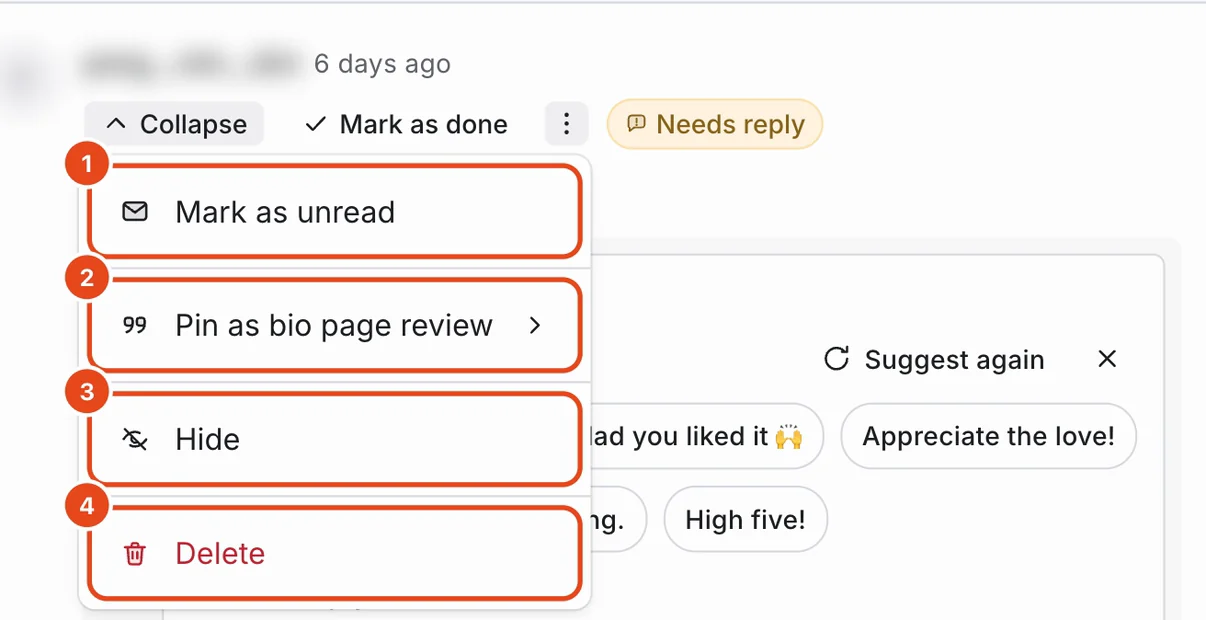
Deleting can't be undone. Each channel allows different actions, so anything a channel doesn't support is missing from the menu or turned off.

| Action | Threads | YouTube | |
|---|---|---|---|
| Reply | Yes | Yes | Yes |
| Hide | Yes | Yes | No |
| Delete | Yes | No | Yes |
Keyboard shortcuts
Press Shortcuts in the toolbar to see the full list. Shortcuts are off while you're typing.
| Key | What it does |
|---|---|
| ↓ · ↑ | Moves to the next or previous post or comment. |
| R | Replies to the selected comment. |
| F | Picks a channel. |
| ⌘ Enter | Sends the reply. On Windows, use Ctrl Enter. |
Options at a glance
| Option | What it does | Good to know |
|---|---|---|
| By post, By comment | Shows comments grouped by post or one by one. | You start in By post. |
| Status filter | Chooses Needs reply, Done or All. | Comments marked done don't stay unread. |
| Reply suggestions | AI suggests replies that fit the comment. | Only creating a new set uses 1 AI use. |
| Bulk mark as done | Marks many comments as done at once. | No replies are sent. |
| Hide, Delete | Hides or deletes a comment. | What you can do depends on the channel. |
| Pin as bio page review | Shows the comment in your bio page's review block. | If the original comment is hidden or deleted, it leaves the reviews too. |
| Refresh | Fetches comments from the channel right away. | New Instagram and Threads comments arrive without refreshing. |
Free and paid plans
| Item | Free | Pro | Team |
|---|---|---|---|
| Comment history (days) | 30 | 730 | 730 |
| Minutes between refreshes | 60 | 10 | 5 |
| AI uses | 30 per account a month, 10 a day | 100 per paid channel a month | 200 per paid channel a month |
AI uses are shared with AI in the composer. Comments older than the history period don't appear in the list.
Good to know
- The response rate covers comments from the last 28 days, regardless of the date filter.
- It counts comments with a public reply, whether you or an auto-reply posted it. Comments only marked as done, or that only got a DM, aren't included.
- Replies posted by an auto-reply carry an Auto-reply badge.
- Replies fetched from the channel, like Includes Instagram replies above a post, show up in the conversation too.
Frequently asked questions
Do reply suggestions get posted automatically?
No. A suggestion only goes into the reply box. Check it, edit it and send it yourself.
New comments are slow to show up.
Instagram and Threads tell Moyeo about new comments right away. YouTube comments are fetched at set intervals, so they can be a little late. Press Refresh to fetch them now.
I can't hide YouTube comments.
YouTube doesn't let apps hide a comment that's already public. If it has to go, delete it.
Does bulk marking as done notify the commenters?
No. No replies are sent. Only the status inside Moyeo changes.