
YouTube Shorts scheduling
Add a YouTube Short, set its title and description, check visibility and choose when to publish.
What you can use depends on your connected channel's permissions and your plan.
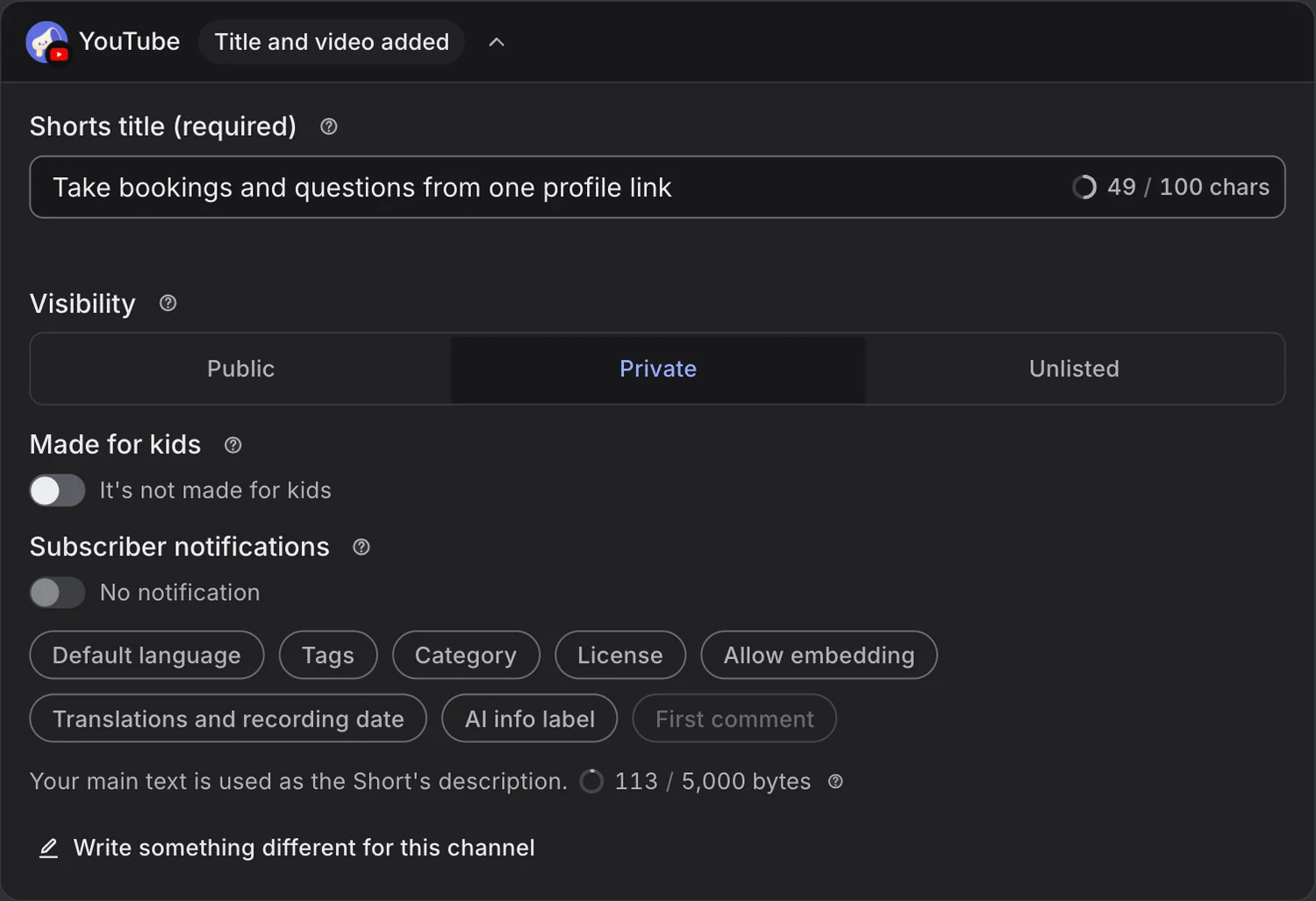

YouTube Shorts settings and calendar in Moyeo.
Review the settings that matter
Set the title, description, visibility, made-for-kids status and subscriber notifications right in the composer.
Prepare with other channels
Choose YouTube and other channels in New post. Adapt media and publishing settings for each channel.
Follow what happens next
Check the calendar and the result, reply to comments on the video, and see the analytics YouTube reports.
How it works
See the full guideSign in with Google to connect your YouTube channel and allow the requested access.
Select YouTube in New post and attach your Short.
Add a title (required), then check the description, visibility and made-for-kids setting.
Pick a date and time and schedule it. The post's status shows when YouTube finishes processing.
Supported accounts
Connect a YouTube channel through Google sign-in. You need permission to upload videos to the connected channel.
Formats and limits
You can schedule YouTube Shorts only, not regular videos.
Use one square or vertical video up to 3 minutes long, in MP4 or MOV format.
YouTube's processing and checks can delay when a video goes public. Check the result after it's sent.
You can reply to YouTube comments yourself, but there are no auto-replies for YouTube. Analytics also covers videos you didn't schedule in Moyeo.
Plans
See all plansMonthly prices, VAT included. Checkout opens soon. Sign up and request a plan in your workspace, and we'll review it and turn it on. Payment and Refund Policy (in Korean)
Prices are in Korean won (KRW), and card payments go through Toss Payments. Cards issued outside Korea may not work.
Can I schedule a regular YouTube video?
No. For now, Moyeo schedules YouTube Shorts only.
What kind of video do I need?
Prepare one square or vertical MP4 or MOV video up to 3 minutes long. The composer also shows the file requirements.
Will my Short be public at exactly the scheduled time?
Moyeo sends it at the scheduled time, but YouTube's processing and checks can take a while. Check the result in Moyeo and on YouTube.
Where can I see when my Short goes live?
Check the date and time on the Moyeo calendar. Moyeo sends the Short to YouTube at the scheduled time, so it won't appear in YouTube Studio before then.
Schedule your next post with Moyeo
Sign up and make your first post and bio page right away.