
Threads post scheduling
Schedule Threads posts with photos or videos. Split longer posts into connected parts.
What you can use depends on your connected channel's permissions and your plan.
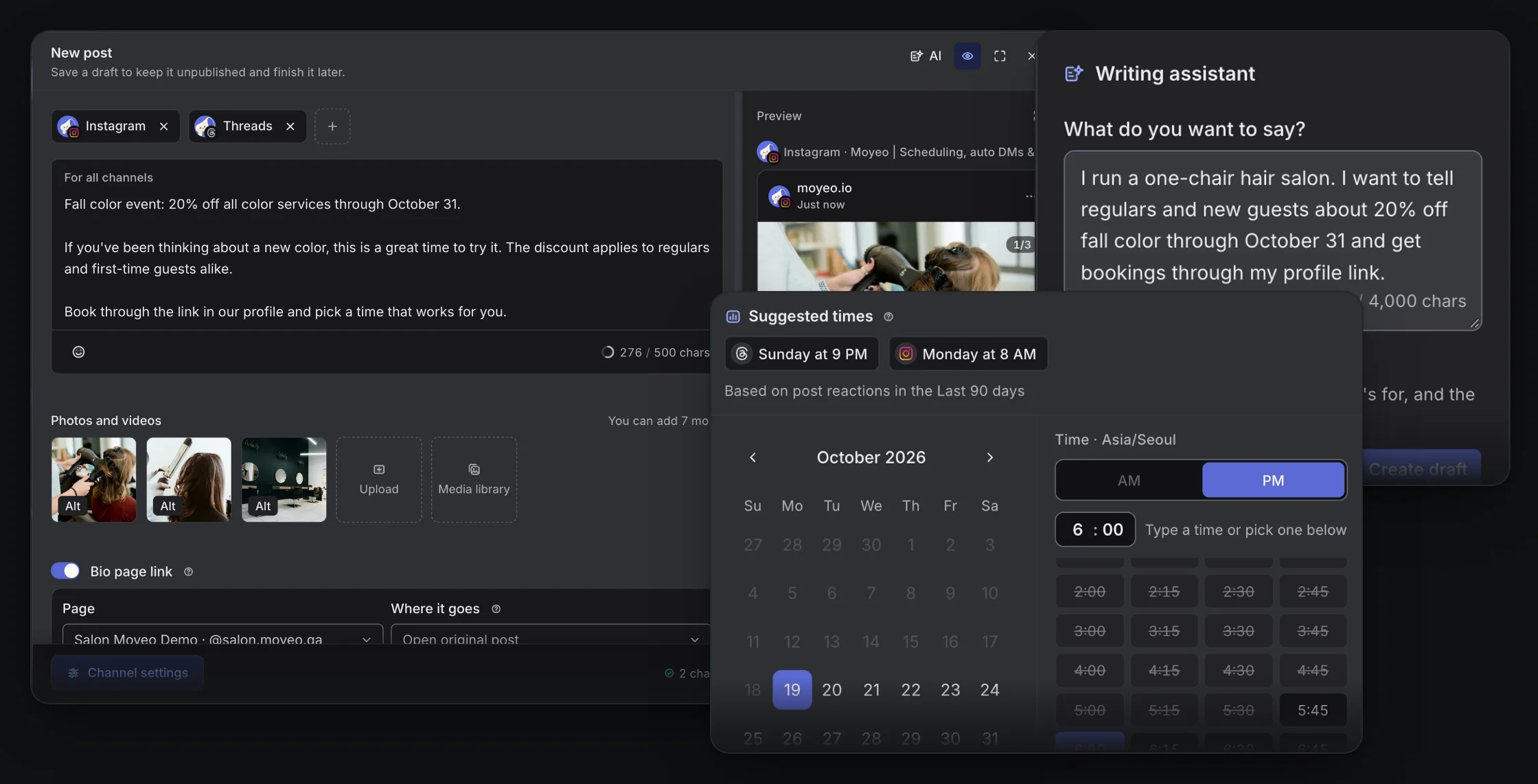

Threads composer and calendar in Moyeo.
Split long posts into a thread
Write a short post or add connected parts for a longer thread. Check each part in the preview.
Prepare alongside Instagram
Start with shared copy, then adapt it for Threads. Review each channel's format even when scheduling together.
Follow the conversation
Get new comments in real time, set up keyword auto-replies, and see the analytics Threads reports.
How it works
See the full guideConnect a Threads account in your workspace.
Select Threads in New post and add text, photos or videos.
Add connected parts if needed and check each one in the preview.
Pick a date and time, or the next slot in your posting schedule. Then check the calendar and the result.
Supported accounts
Connect a Threads account and allow access for the features you'll use, such as publishing, comments and analytics.
Formats and limits
Each part can be up to 500 characters, and a thread can have up to 25 parts.
Photos and videos go on the first part only, up to 20. You can include up to 5 links. The composer shows the file requirements.
There are no DM auto-replies for Threads, but you can manage comments and use comment auto-replies.
A post may not go out because of permissions, the connection or platform policies. Check the result in the post's status.
Plans
See all plansMonthly prices, VAT included. Checkout opens soon. Sign up and request a plan in your workspace, and we'll review it and turn it on. Payment and Refund Policy (in Korean)
Prices are in Korean won (KRW), and card payments go through Toss Payments. Cards issued outside Korea may not work.
Can I schedule connected Threads posts?
Yes. Write a thread of up to 25 parts, 500 characters each, and schedule it.
Can I prepare Instagram and Threads together?
Yes. Pick both channels in New post and write once. Adjust the wording or media for each channel if you need to.
Can I use comment auto-replies on Threads?
Yes, on Pro and up. There are no DM auto-replies for Threads.
Where can I see my scheduled Threads posts?
On the Moyeo calendar, by date. Open a post to see its status. Moyeo publishes at the scheduled time, so the post shows up in the Threads app from then on.
Schedule your next post with Moyeo
Sign up and make your first post and bio page right away.