
AI writing and reply suggestions
Get a draft when you're stuck, and pick from reply suggestions when comments pile up. You always decide what goes out.
What you can use depends on your connected channel's permissions and your plan.
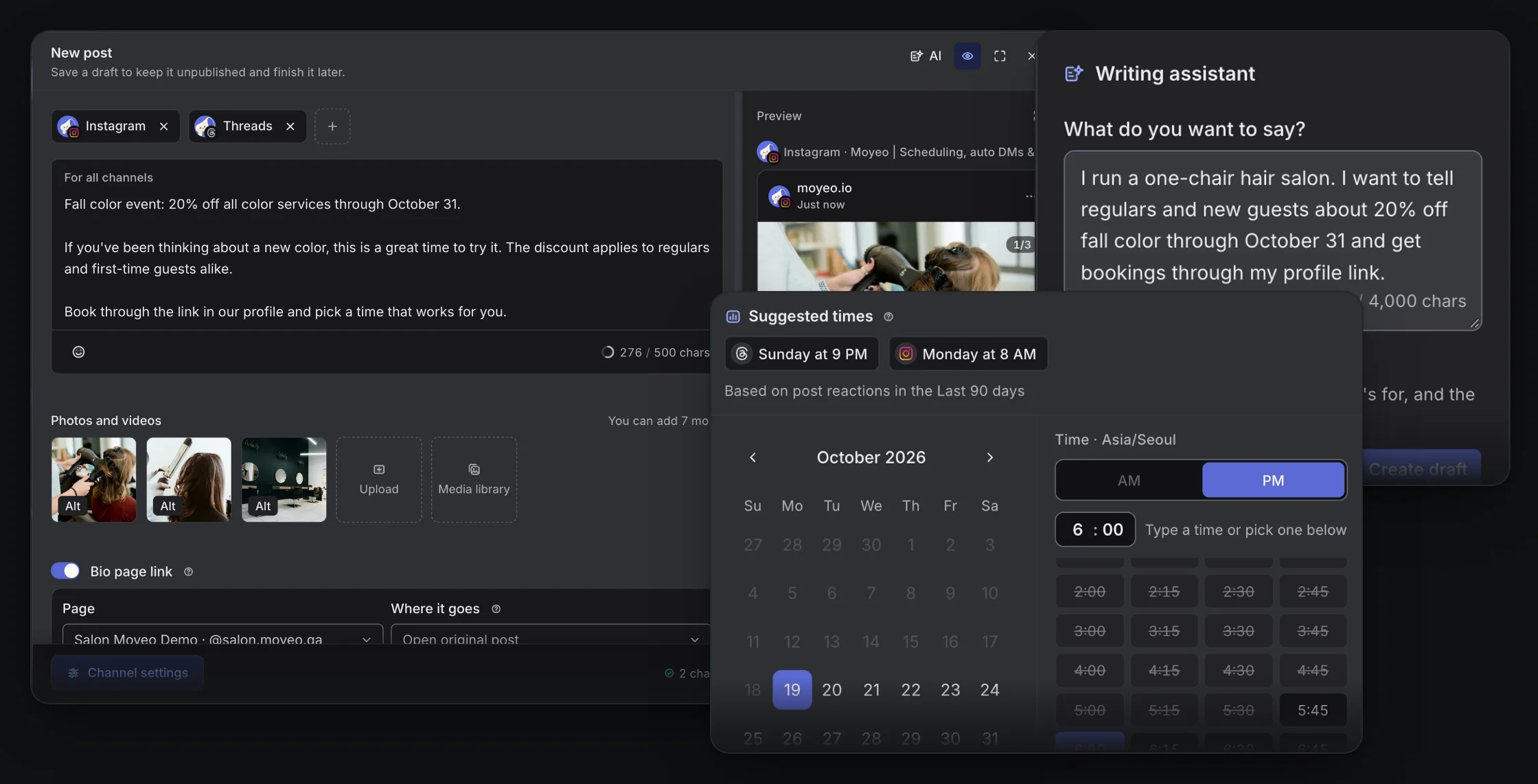
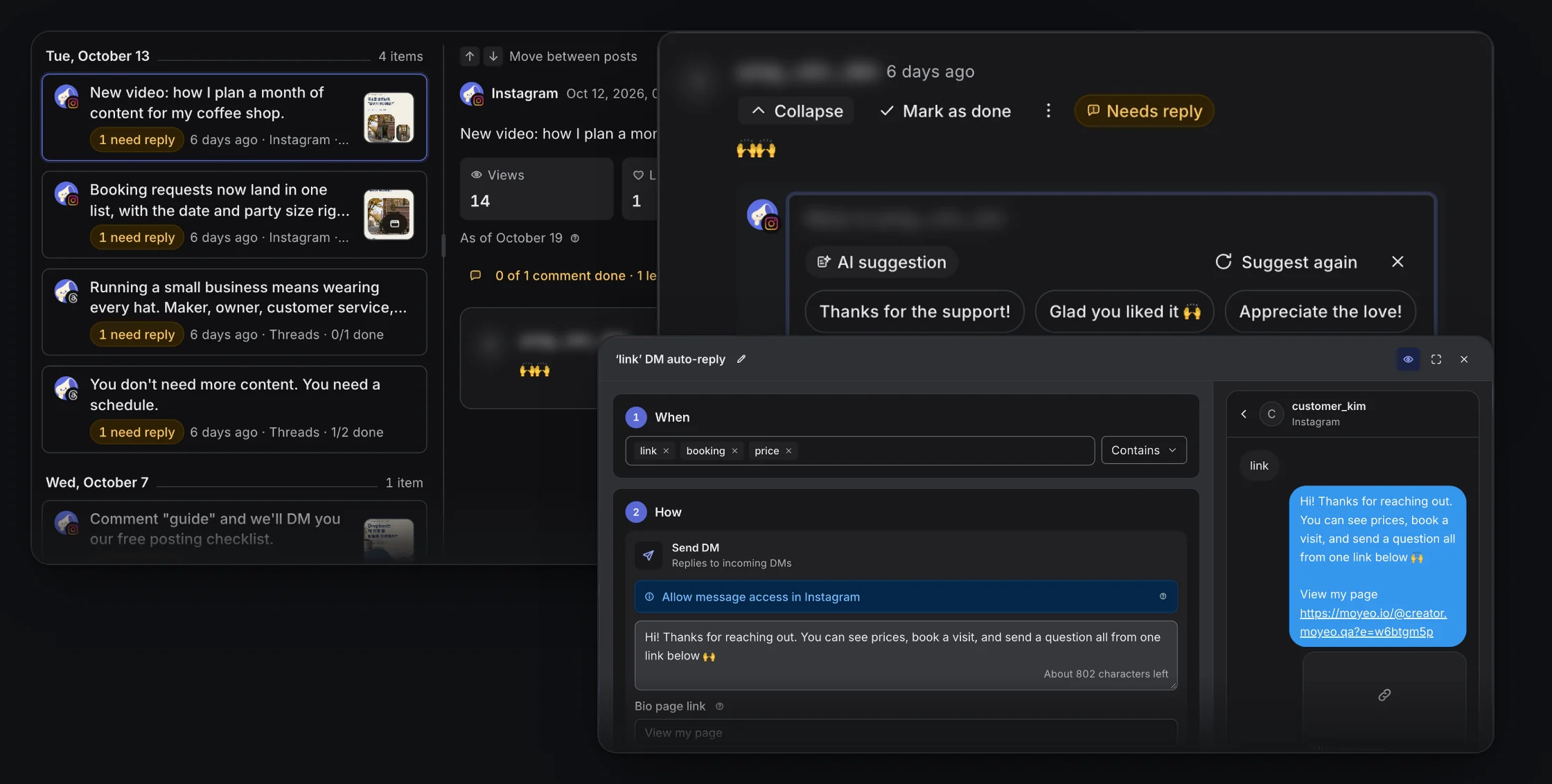
The writing assistant in the composer and reply suggestions in Inbox.
Drafts in your own voice
The assistant reads the tone of your past posts and drafts copy for each channel. Edit it before you post.
Rewrite your caption
Fix spelling, make it easier to read, shorter or longer, or switch to a friendly, casual or formal tone.
Replies that match their tone
Casual comments get casual suggestions, polite ones get polite suggestions. Edit the one you like and send it.
Post topic ideas
See ideas for your next post on the home screen, based on how your past posts did.
Reply from one inbox
Gather Instagram, Threads and YouTube comments in one inbox and answer with a reply suggestion.
How it works
See the full guideOpen the writing assistant in New post, describe what you want to share, and get a draft.
Use rewrite to fix spelling, length and tone.
Open a comment in Inbox and get reply suggestions.
Edit a suggestion, then publish it or send it as a reply yourself.
Supported accounts
Connect Instagram, Threads or YouTube, and suggestions draw on the tone of your past posts and the comments you receive.
Formats and limits
AI usage depends on your plan, and the Free plan includes a monthly allowance. See the plans table.
AI suggestions are never published on their own. Review and edit them, then publish or reply yourself.
AI can get facts wrong. Always check before you publish.
You don't have to use AI. Everything else works without it.
Plans
See all plansMonthly prices, VAT included. Checkout opens soon. Sign up and request a plan in your workspace, and we'll review it and turn it on. Payment and Refund Policy (in Korean)
Prices are in Korean won (KRW), and card payments go through Toss Payments. Cards issued outside Korea may not work.
Does AI publish posts for me?
No. Suggestions only appear on screen. You review and edit them, then publish or reply yourself.
Can I use AI on the Free plan?
Yes. The Free plan includes a monthly allowance for the writing assistant and reply suggestions. See the plans table for each plan's limit.
What tone do reply suggestions use?
They follow the commenter's tone. Casual comments get casual suggestions, and polite comments get polite ones.
Schedule your next post with Moyeo
Sign up and make your first post and bio page right away.