
Instagram comment and DM auto-replies
Reply automatically with a public reply or DM when someone comments, or answer incoming DMs that contain your keywords. Comment and DM auto-replies are set up separately.
What you can use depends on your connected channel's permissions and your plan.
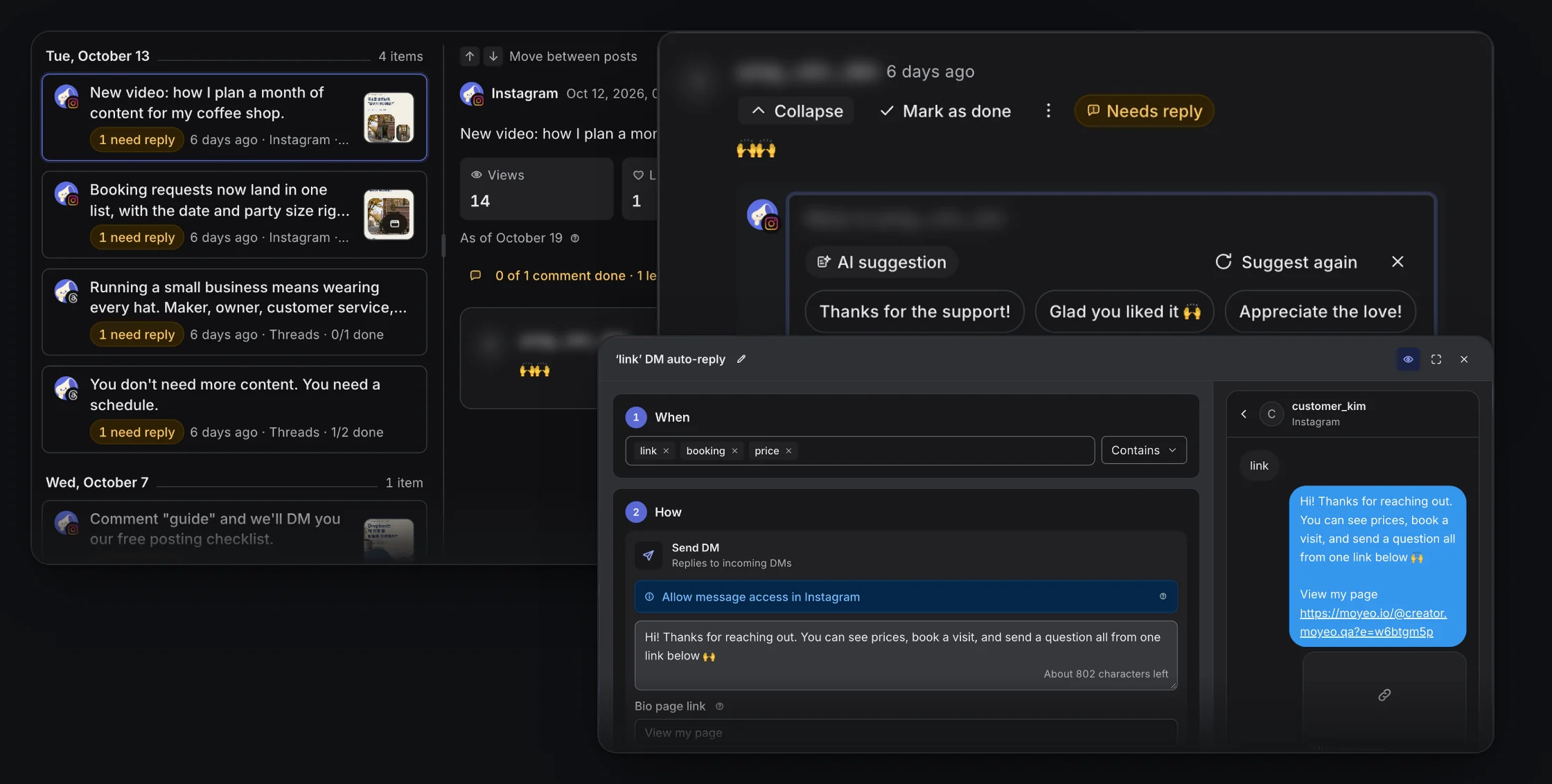

Comment and DM auto-reply settings in Moyeo.
Reply and DM from comments
Pick posts and match every comment or only ones with your keywords. Set a public reply, a private DM to the commenter, or both.
Answer incoming DMs
Send a saved reply when an Instagram DM contains your keyword. Handy for explaining how to book or answering common questions.
Check before you turn it on
Set the conditions and message, then check the preview. See what each auto-reply sent, and turn it off anytime.
How it works
See the full guideConnect an Instagram Business or Creator account and allow comment and message access.
Open Comment auto-replies or DM auto-replies in the channel menu.
For comments, pick the posts and conditions. For DMs, set keywords. Then write your message.
Check the preview and turn it on. Then review the results for new comments and DMs.
Supported accounts
Works with Instagram Business and Creator accounts that allow comment and message access. Comment auto-replies also work on Threads, but DM auto-replies are Instagram only.
Formats and limits
Auto-replies only answer comments and DMs that arrive after you turn them on.
A DM to a commenter goes out once per comment, within 7 days of the comment. It can be up to 1,000 bytes, and a Korean character counts as 3.
Replies to incoming DMs go out within Instagram's 24-hour window, and each auto-reply answers the same person at most once every 24 hours.
Moyeo sends well before Instagram's deadline, but platform policies, permissions or the connection can still stop a message.
Plans
See all plansMonthly prices, VAT included. Checkout opens soon. Sign up and request a plan in your workspace, and we'll review it and turn it on. Payment and Refund Policy (in Korean)
Prices are in Korean won (KRW), and card payments go through Toss Payments. Cards issued outside Korea may not work.
How are comment auto-replies different from DM auto-replies?
Comment auto-replies watch comments on your posts and send a public reply or a DM. DM auto-replies watch the DMs people send you and answer based on keywords.
Does it DM all my followers?
No. It only answers people who comment or DM you first. It isn't a tool for messaging all your followers.
Can I use auto-replies on the Free plan?
Yes. The Free plan includes link DMs, which send a link such as your bio page. Auto-replies in your own words are available on Pro and up. See the plans below for monthly limits.
Schedule your next post with Moyeo
Sign up and make your first post and bio page right away.