
When to use it
- You want to post a Reel or Story on Instagram instead of a feed post.
- You want to add a topic to a Threads post or limit who can reply.
- You want to split a long story into a Threads thread.
- You want to set a YouTube Short's title, visibility and tags.
How it works
Open channel settings
Press Channel settings at the bottom of the New post window. Each selected channel gets its own card.
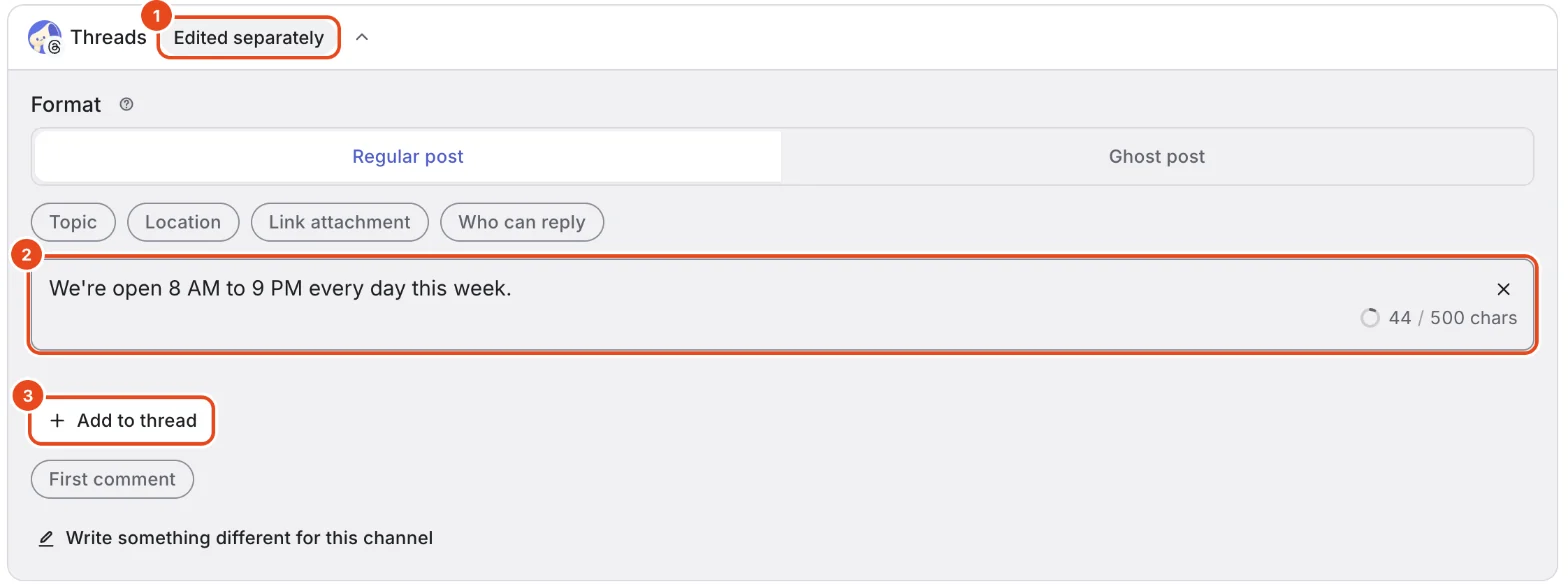
The badge next to the card name shows its state. Shared content means the shared text and media go out as is. Edited separately means this channel has its own changes.
Press a chip under More settings to open that option. Press it again to close it.
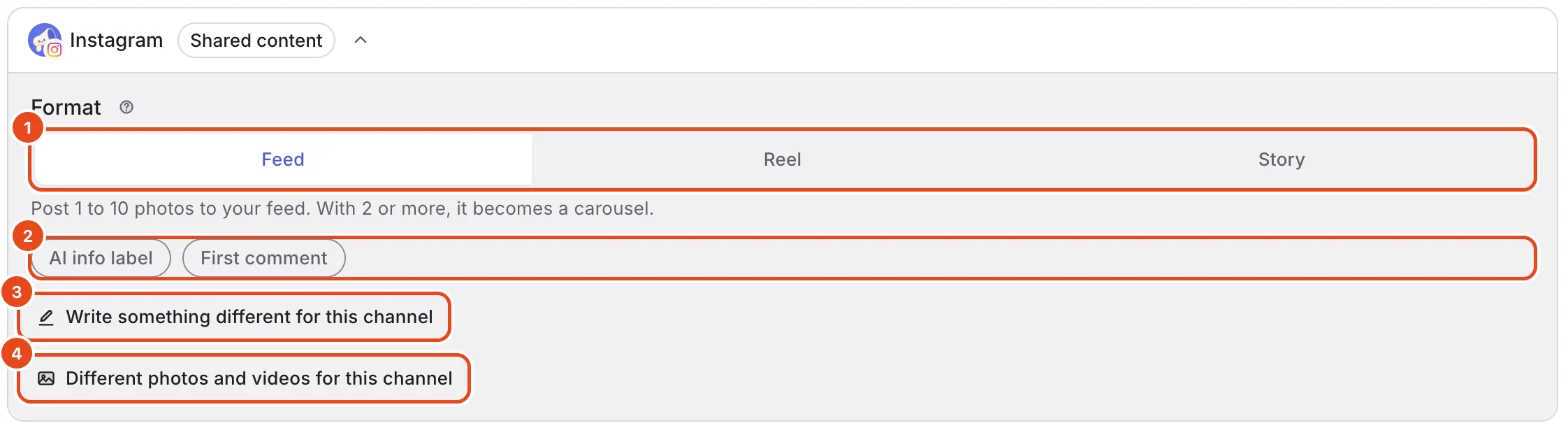
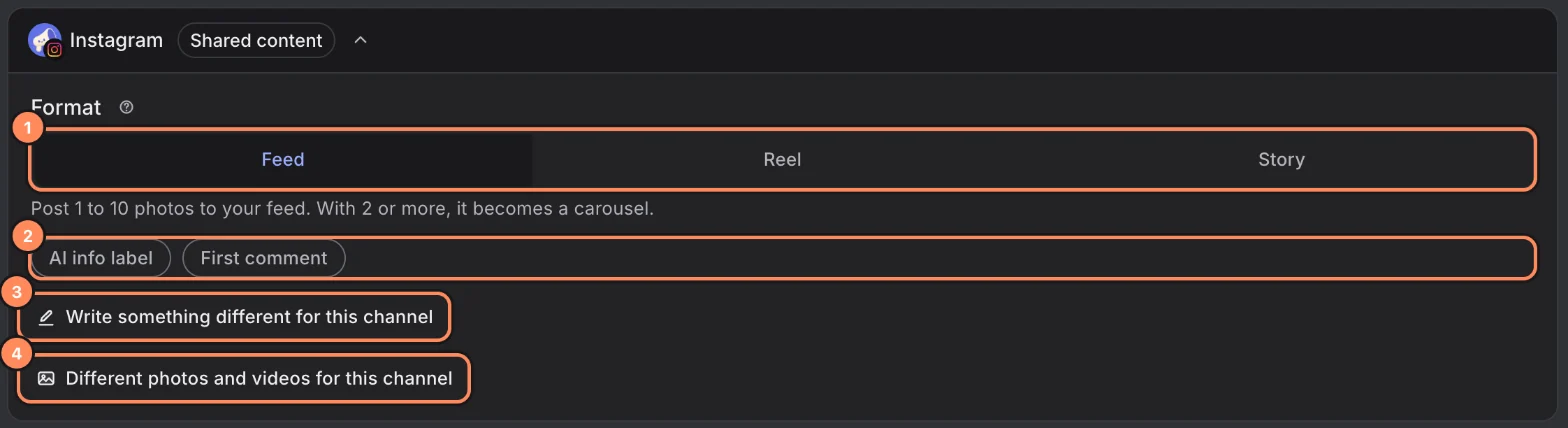
Under Format, pick Feed, Reel or Story. A feed post holds 1 to 10 photos and becomes a carousel from 2.
When you pick Reel, Also show on feed appears. Leave it on to show the Reel on your feed too, or turn it off to keep it on the Reels tab only.
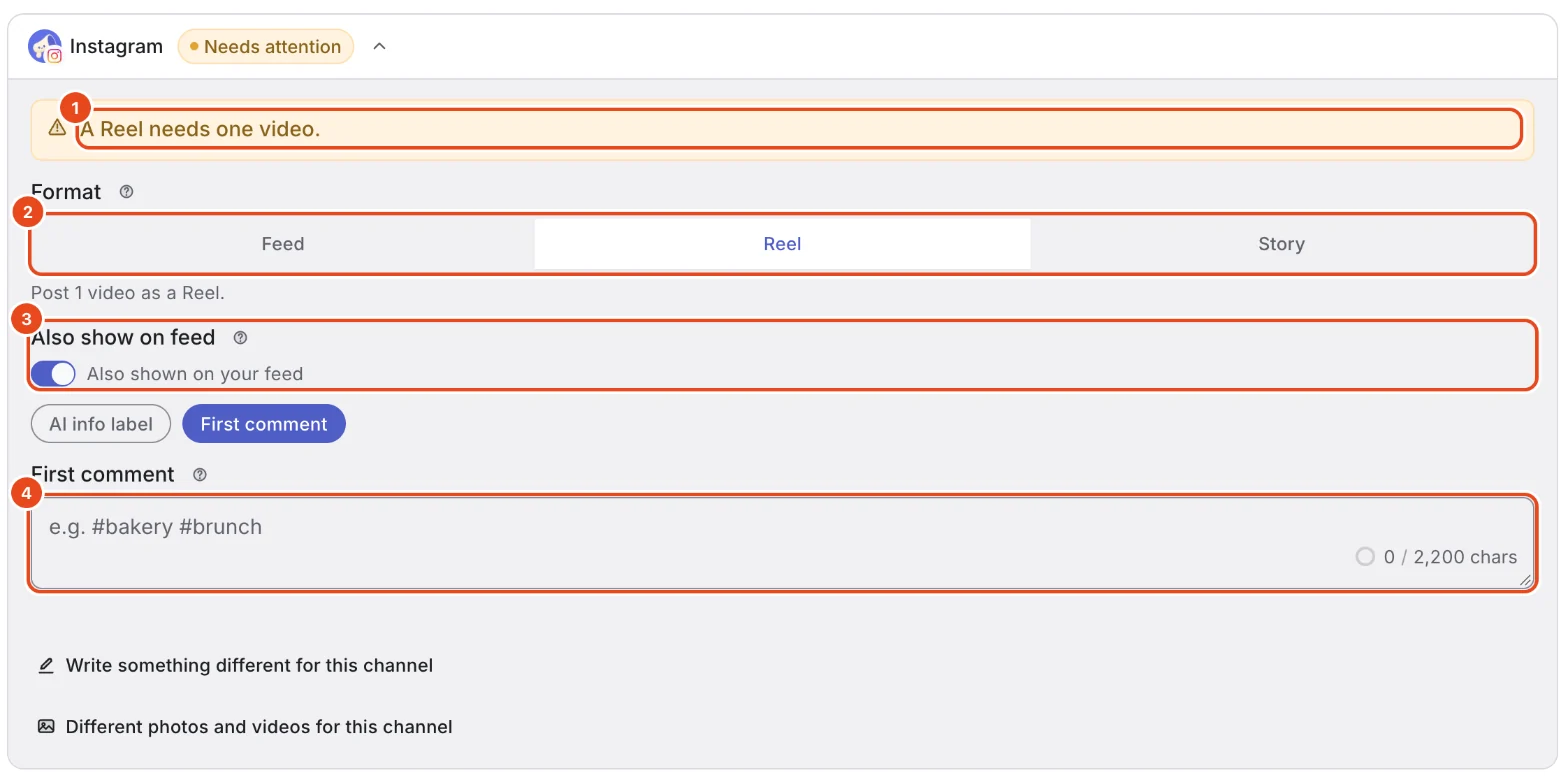
Whatever you write in First comment is posted as a comment from your account right after publishing. It's a good place for hashtags.
Turn on AI info label when a photo or video was made or heavily edited with AI. If AI only helped with the text, you don't need it.
A caption in Write something different for this channel goes out on Instagram only.

Threads
Under Format, pick Regular post or Ghost post. A ghost post disappears after 24 hours and carries text only.
Press Topic and enter a topic tag. It shows at the top right of the Threads post, up to 50 characters.
Under Who can reply, choose who's allowed to reply.
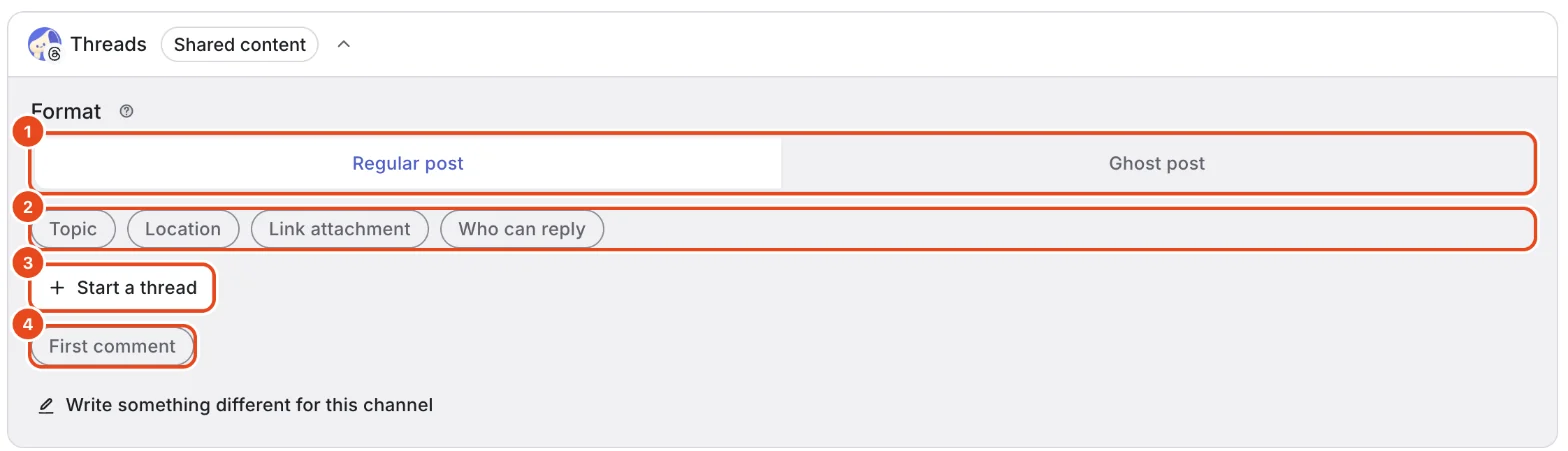
Location searches for a place to tag. Link attachment adds one link card when the post has no photos or videos.
For a long story, press Start a thread to write the next part. Add to thread adds up to 24 more.


YouTube
A Shorts title is required, up to 100 characters.
Set Visibility to Public, Unlisted or Private. Unlisted Shorts can be watched by anyone with the link. Private ones only by you and people you invite.
YouTube requires you to answer Made for kids. Turn on Subscriber notifications to ask YouTube to notify subscribers about the new Short.
Open options like Tags, Category, License and Allow embedding from the chips. Separate tags with commas.
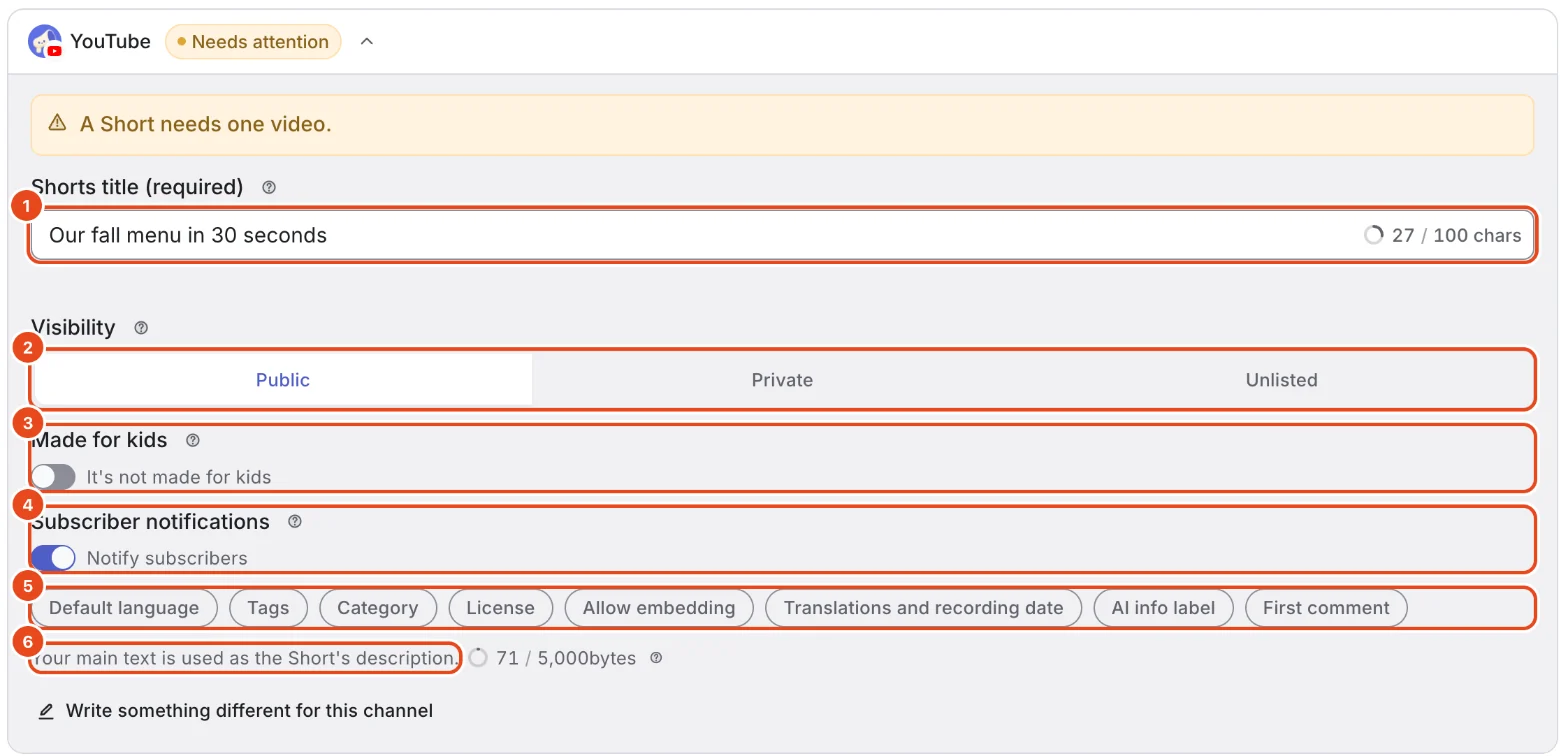
Your shared text becomes the Short's description. To change only the description, use Write something different for this channel.

Check what needs fixing before posting
If a channel option doesn't fit, a line at the bottom of the window says what to fix, and Channel settings gets a dot.
Press the post button to open the channel card that needs work, marked Needs attention. Fix it as described and you're ready to post.
Options at a glance
| Channel | Option | Good to know |
|---|---|---|
| Format | Feed posts hold 1 to 10 photos. Reels are one video of 3 to 900 seconds. | |
| Story | One file, shown for 24 hours. Videos run 3 to 60 seconds. | |
| Caption | Up to 2,200 characters. | |
| Also show on feed | Reels only. | |
| Threads | Text | Up to 500 characters per post. |
| Threads | Photos and videos | Up to 20, on the first post only. |
| Threads | Topic | Up to 50 characters, without periods (.) or &. |
| Threads | Who can reply | Anyone, Profiles you follow, Your followers, Profiles you mention, or Original post author only. |
| Threads | Location | Only if you allowed location access when connecting the channel. |
| Threads | Ghost post | Text only, without photos, links, topics, location, first comments or follow-up posts. |
| YouTube | Video | One square or vertical video, up to 180 seconds. |
| YouTube | Description | Up to 5,000 bytes. Korean characters count as 3 bytes each. |
| YouTube | Tags | Comma-separated, up to 500 characters in total. |
| YouTube | Category | Only when the channel allows choosing a category. |
| YouTube | License | Creative Commons lets others reuse your video. |
| YouTube | Allow embedding | Turn it off to keep the video playable on YouTube only. |
| All channels | Write something different for this channel | Leave it empty to use the shared text. |
Free and paid plans
| Item | Free | Pro | Team |
|---|---|---|---|
| Connected channels | 3 | 10 | 100 |
| Scheduled first comment | Included | Included | Included |
Good to know
- Channel settings are saved per post. The next post starts again from shared content.
- Leave Write something different for this channel empty to send the shared text. The card badge tells you whether it's Shared content or Edited separately.
- YouTube descriptions are counted in bytes. Non-Latin characters, like Korean, take up more than one byte each.
- Some options need permissions you granted when connecting. If one is grayed out, reconnect the channel to add the permission.
Frequently asked questions
Can I add text to a Story?
No. Instagram doesn't accept text when publishing Stories, so they go out without text.
Can I add photos to follow-up posts in a thread?
No. Photos and videos attach to the first post only. Follow-up posts are text only.
The first comment option is turned off.
Instagram Stories, Threads ghost posts and private or made-for-kids YouTube videos can't have a first comment. If the channel is missing a permission, reconnect it.
I can't pick a location or category.
Threads locations need location access, granted when you connect the channel. Reconnect it to add the permission. Some YouTube channels don't allow choosing a category.
Can I tag a location or people on Instagram?
Not yet. Location tags, people tags, collaborators, cover selection, YouTube thumbnails and playlists can't be set in Moyeo.