
Instagram post scheduling
Write, preview and schedule Instagram feed posts, Reels and video Stories. Prepare Threads and YouTube Shorts in the same composer.
What you can use depends on your connected channel's permissions and your plan.
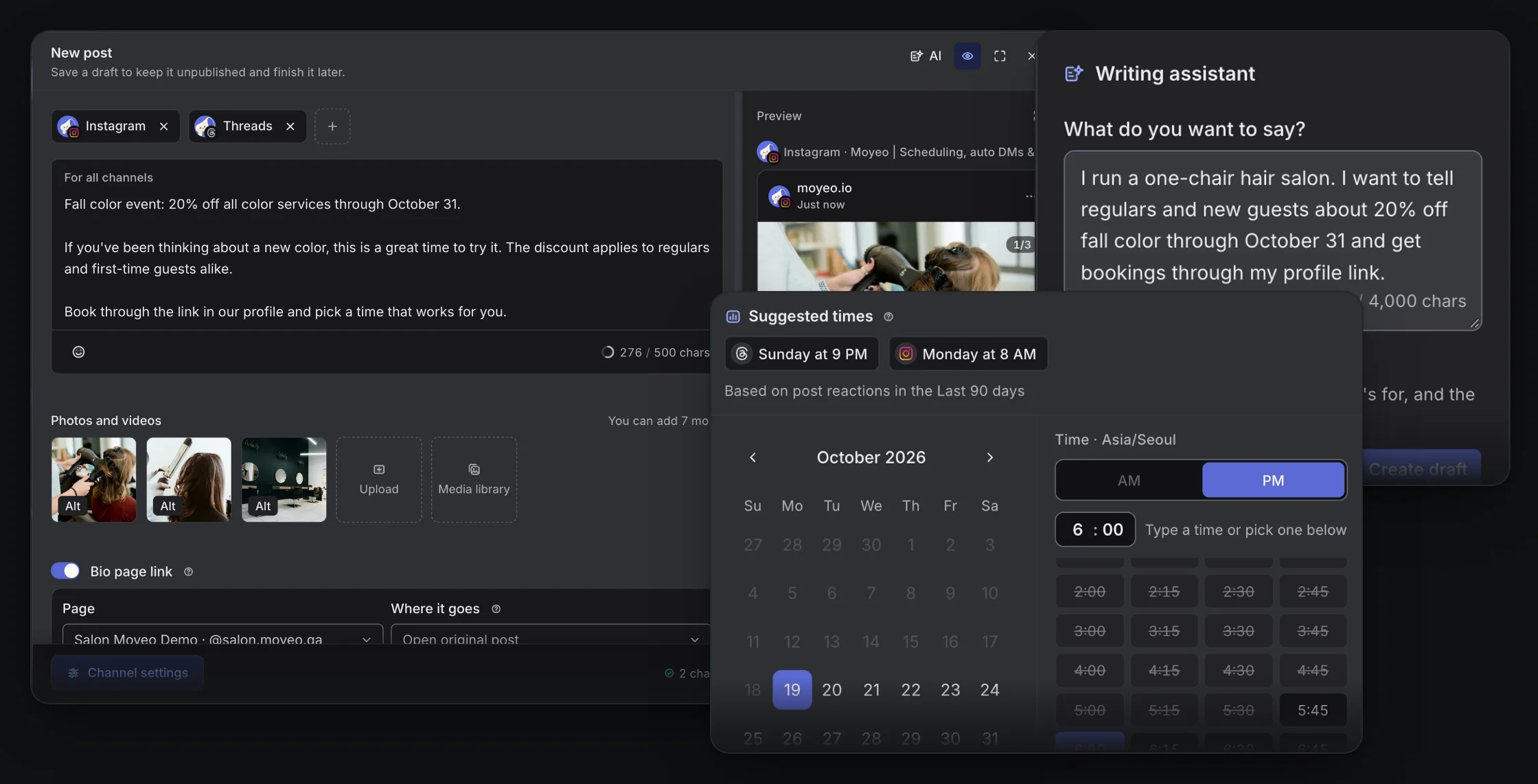

The Moyeo composer and publishing calendar.
Adapt for each channel
Start with shared copy, choose photos or a video for Instagram, and edit channel-specific text when you need to.
Choose your publishing time
Pick a date and time, or use the next open slot in your posting schedule. See everything you've scheduled on the calendar.
Follow the response
Get notified when posts go out, reply to comments, and see the views and engagement each channel reports.
How it works
See the full guideConnect your Instagram professional account in a workspace.
Open New post, select your channel and choose feed, Reel or Story.
Add copy and media, then check the channel preview.
Switch to scheduling and pick a date and time. Scheduled posts show up on the calendar.
Supported accounts
Works with Instagram Business and Creator (professional) accounts, not personal accounts. Allow publishing access when you connect.
Formats and limits
Feed posts can be a single photo or a carousel of up to 10 photos. You can't mix photos and videos in one carousel.
Reels take videos of 3–900 seconds and Stories take videos of 3–60 seconds. You can't schedule photo Stories yet.
You can't add Instagram app extras like music, stickers, Story links, location or product tags.
A post may not go out because of its connection, permissions, platform policies or file format. Check the result in the post's status.
Plans
See all plansMonthly prices, VAT included. Checkout opens soon. Sign up and request a plan in your workspace, and we'll review it and turn it on. Payment and Refund Policy (in Korean)
Prices are in Korean won (KRW), and card payments go through Toss Payments. Cards issued outside Korea may not work.
Can I schedule posts from a personal Instagram account?
No. Only Business and Creator accounts can be connected. Switch your personal account to a professional account in the Instagram app first.
Can I schedule Reels and Stories?
Yes. You can schedule Reels of 3–900 seconds and Stories of 3–60 seconds. You can't schedule photo Stories or add Instagram's music and stickers.
Do I need to keep my browser open?
No. Moyeo publishes at the scheduled time even after you close the tab. If there's a problem with the account connection or permissions, the post may not go out.
Where can I see my scheduled posts?
On the Moyeo calendar, by date. Open a post to see its status, like Scheduled or Published. Moyeo publishes at the scheduled time, so the post won't appear in Instagram's scheduled content.
Schedule your next post with Moyeo
Sign up and make your first post and bio page right away.