
When to use it
- You're connecting your social accounts to Moyeo for the first time.
- A channel says Reconnect needed and you want to fix it.
- You want to clean up channels or move one to another workspace.
How it works
Open Connect channel
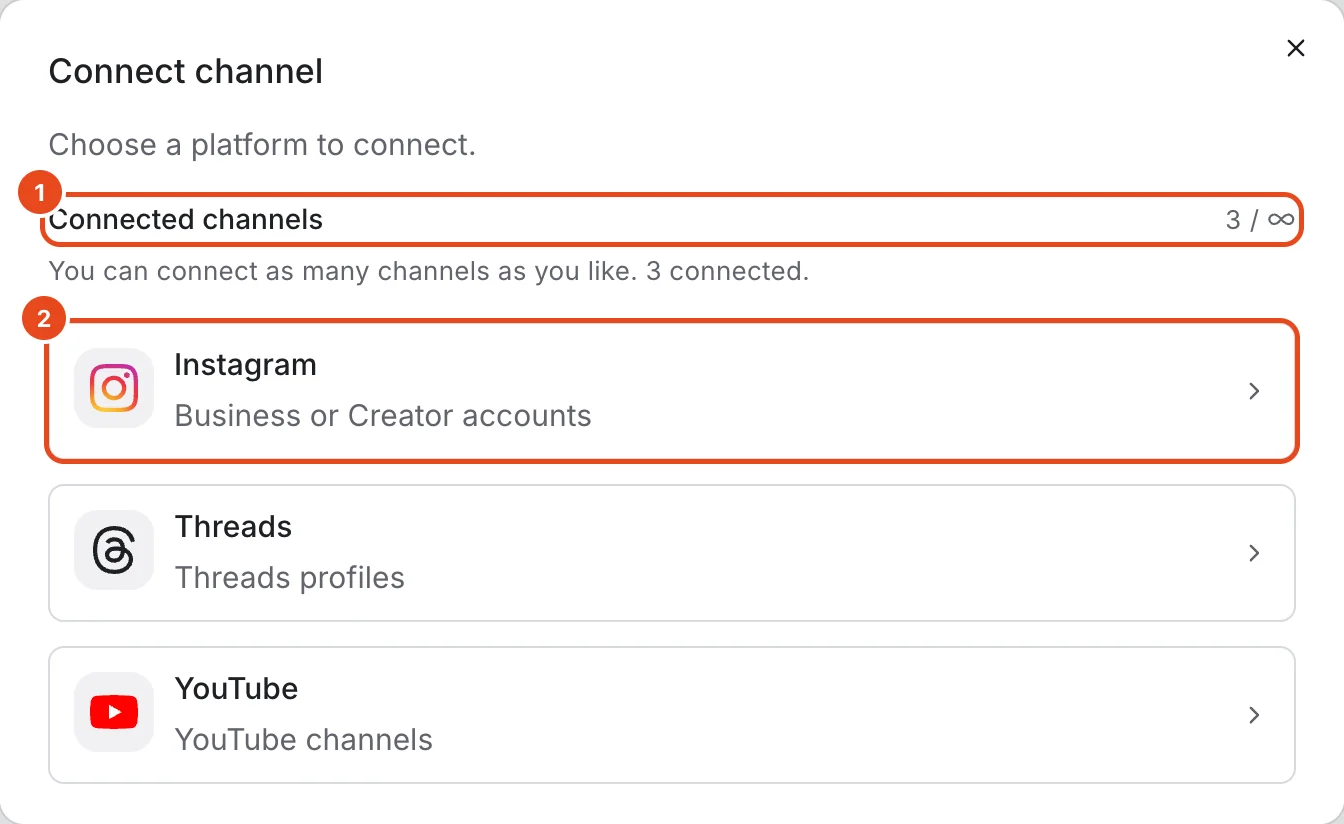
Press + next to Channels in the sidebar, or Connect channel on Home. You can also start from Connect channel at the top right of Settings › Channels.
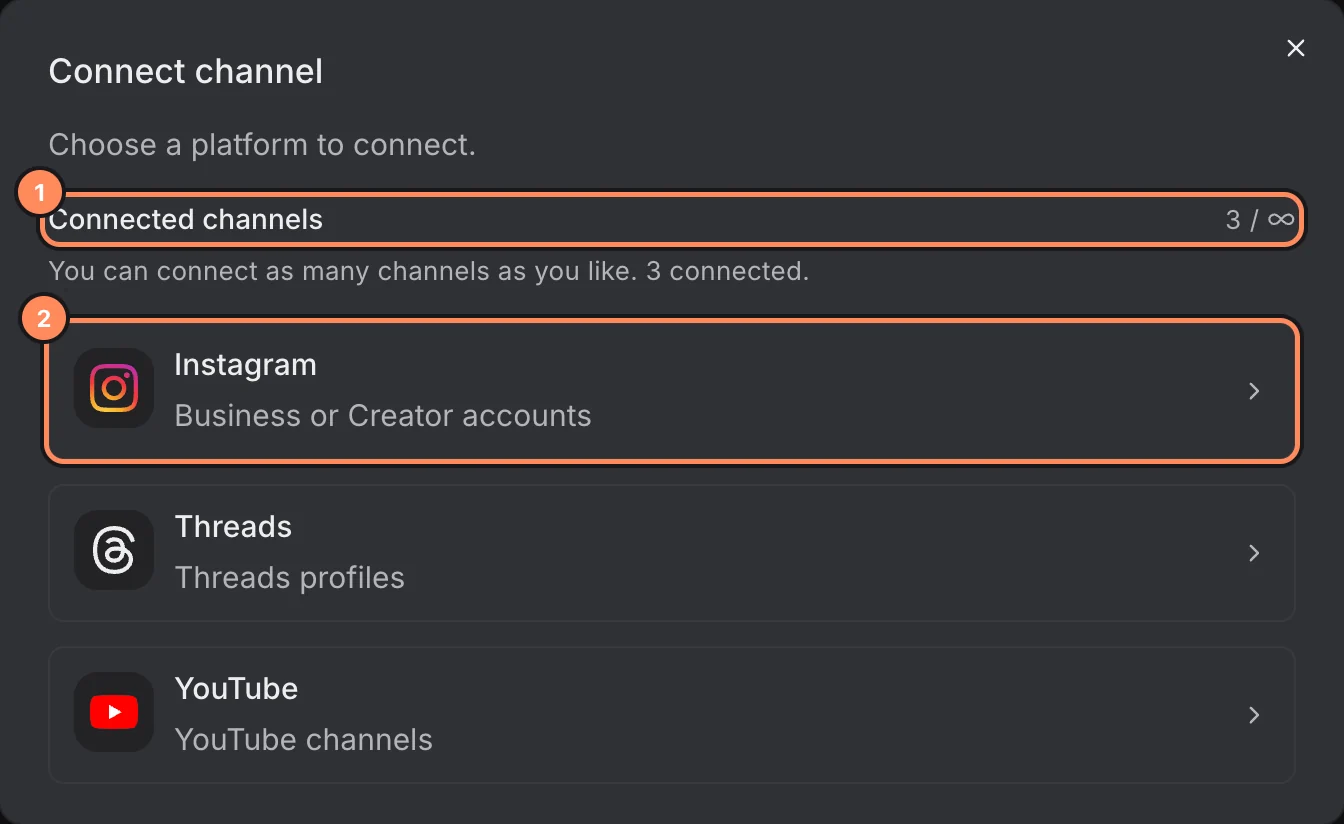
The top of the Connect channel window shows how many channels you've connected and your limit.
Pick a platform. Instagram connects a Business or Creator account, Threads a profile and YouTube a channel.
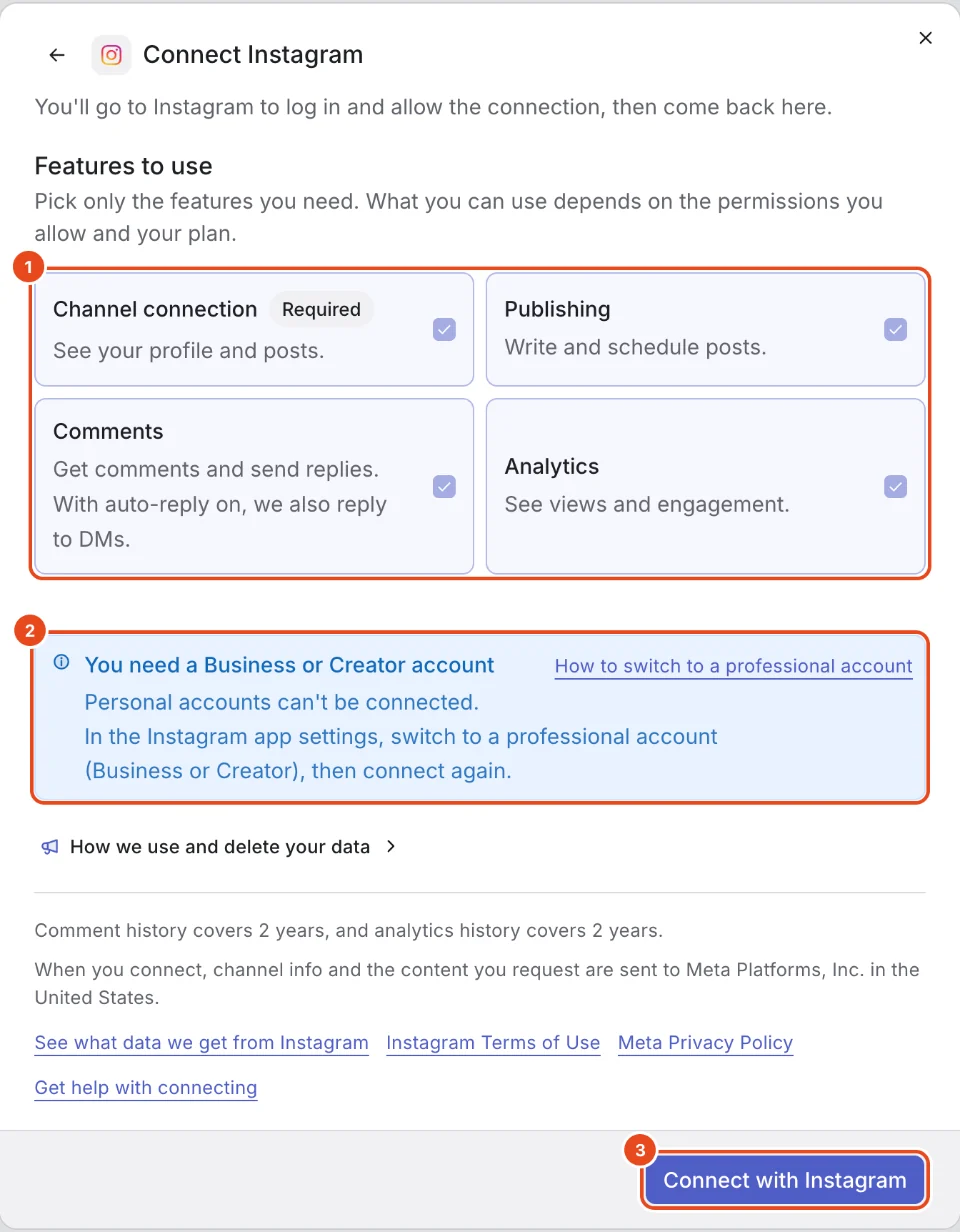
Connect Instagram
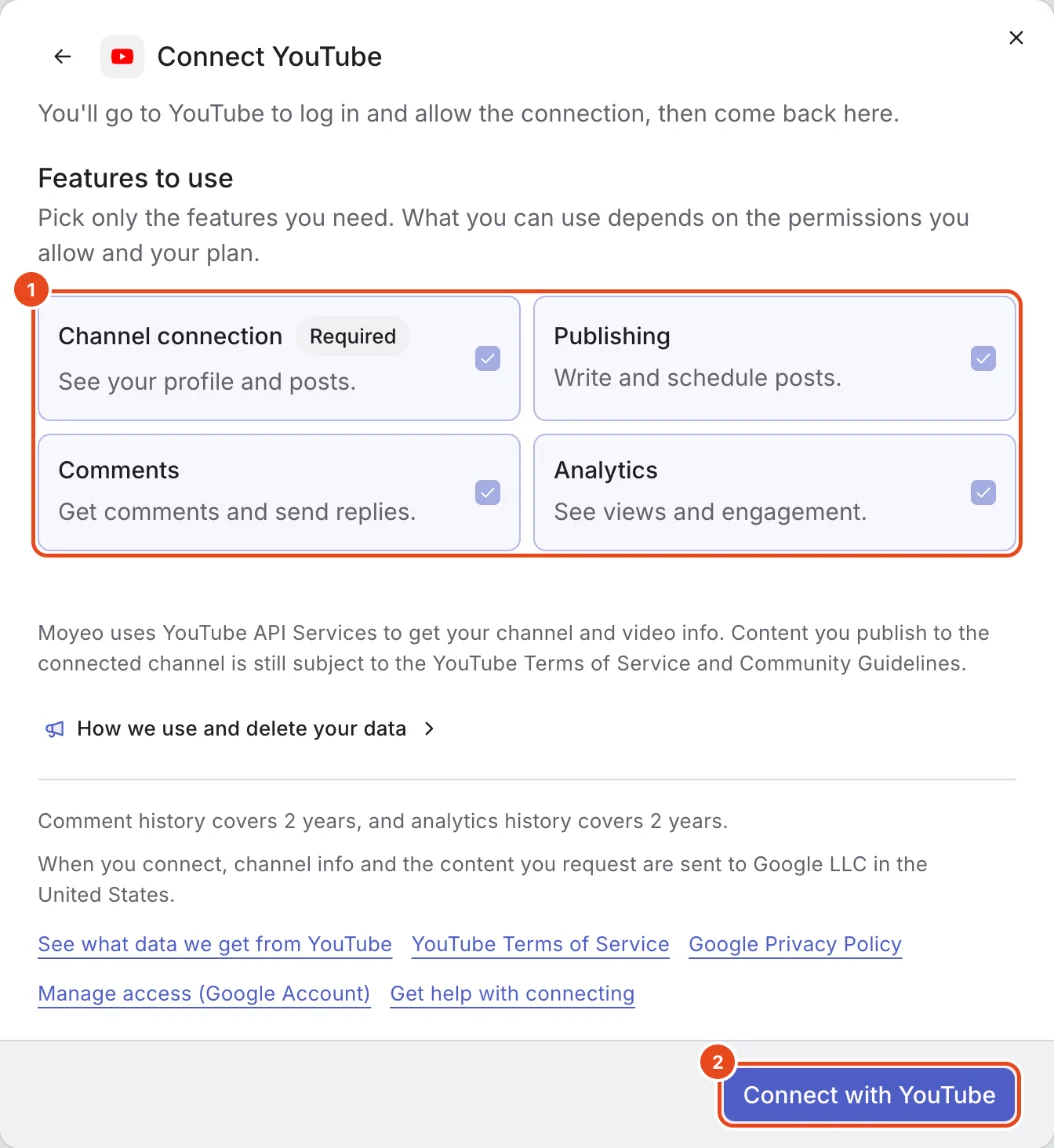
Under Features to use, choose what Moyeo should handle. Channel connection is required. Turn on Publishing, Comments and Analytics only if you need them.
Personal accounts can't be connected. Switch to a professional account in the Instagram app first. How to switch to a professional account in the window walks you through it.
Press Connect with Instagram. You'll log in to Instagram, allow access and land back in Moyeo.

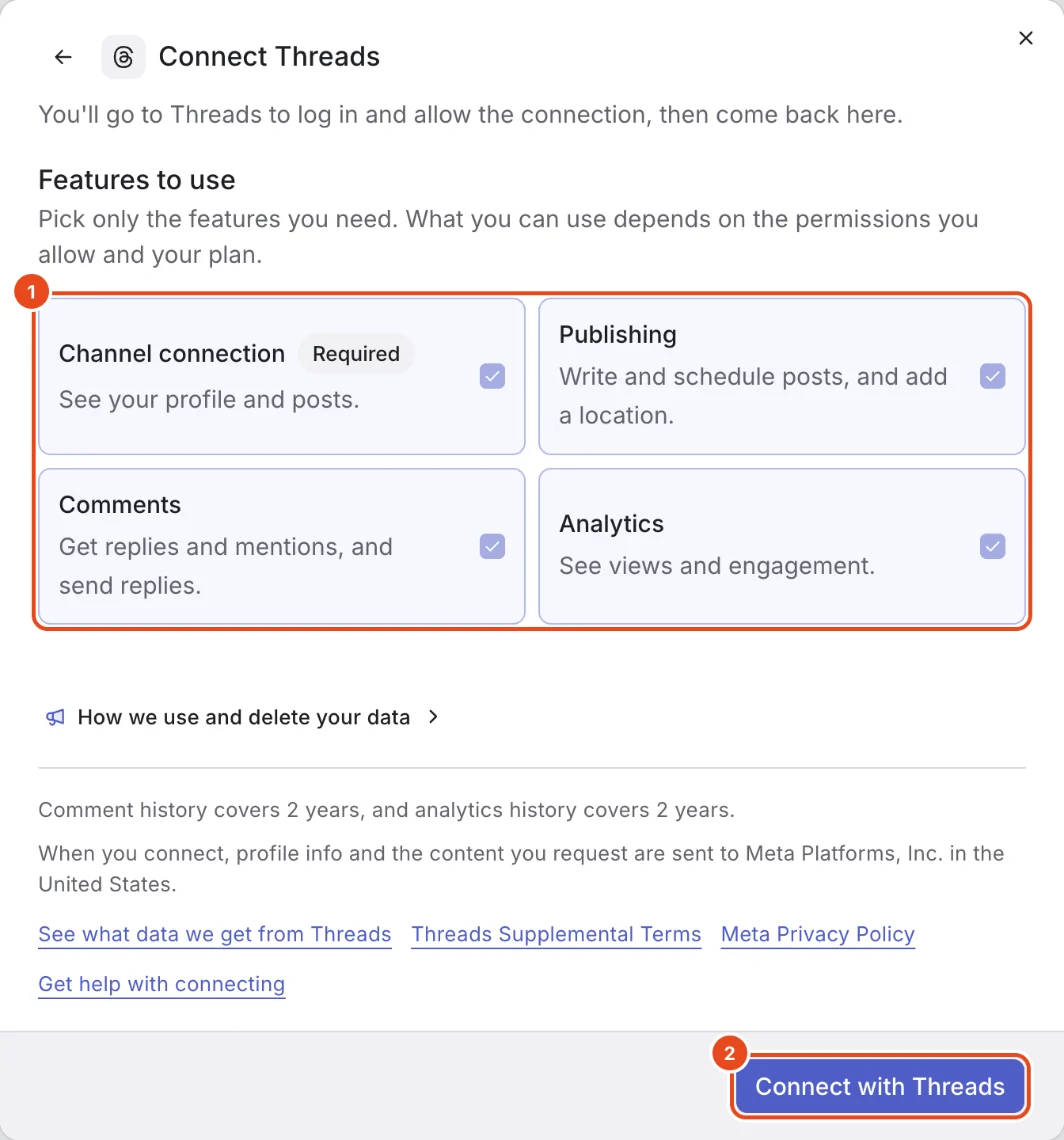
Connect Threads
Choose your features and press Connect with Threads. Any Threads profile can be connected.
With Publishing on, you can add a location to posts. With Comments on, Moyeo brings in replies to your posts and posts that mention you.

Connect YouTube
Choose your features and press Connect with YouTube. Log in with your Google account and pick your YouTube channel.
Moyeo uses YouTube API Services to get your channel and video info. Anything you publish still follows the YouTube Terms of Service and Community Guidelines.
To revoke access later, use Manage access (Google Account) at the bottom of the window.

Check a channel's status
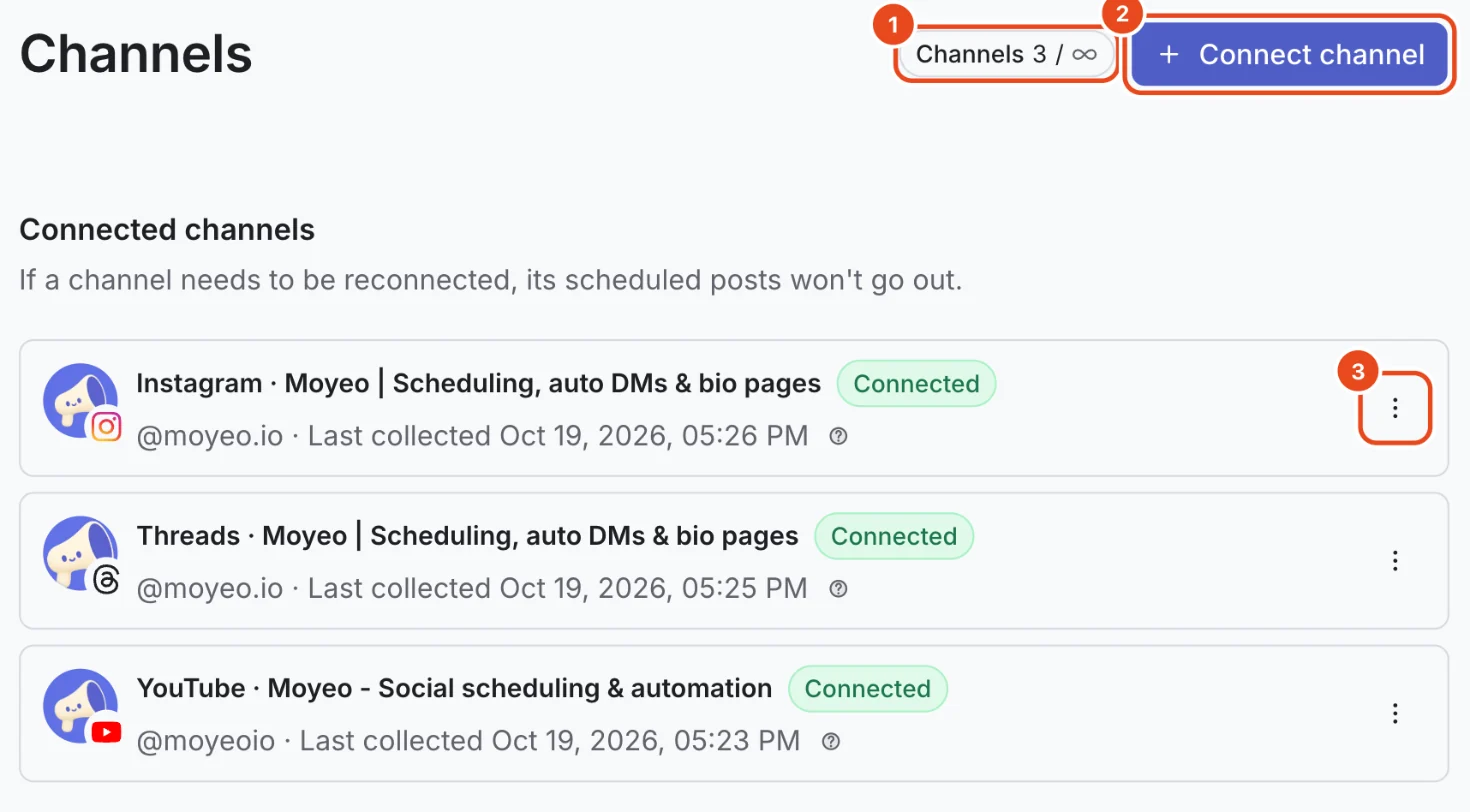
Open Settings from the profile menu, then Channels. Each channel shows its status and when data was last collected.
Connected means posting and collecting comments and analytics work as usual. If you see Reconnect needed, reconnect right away. Scheduled posts for that channel won't go out until you do.

Reconnect or refresh a channel
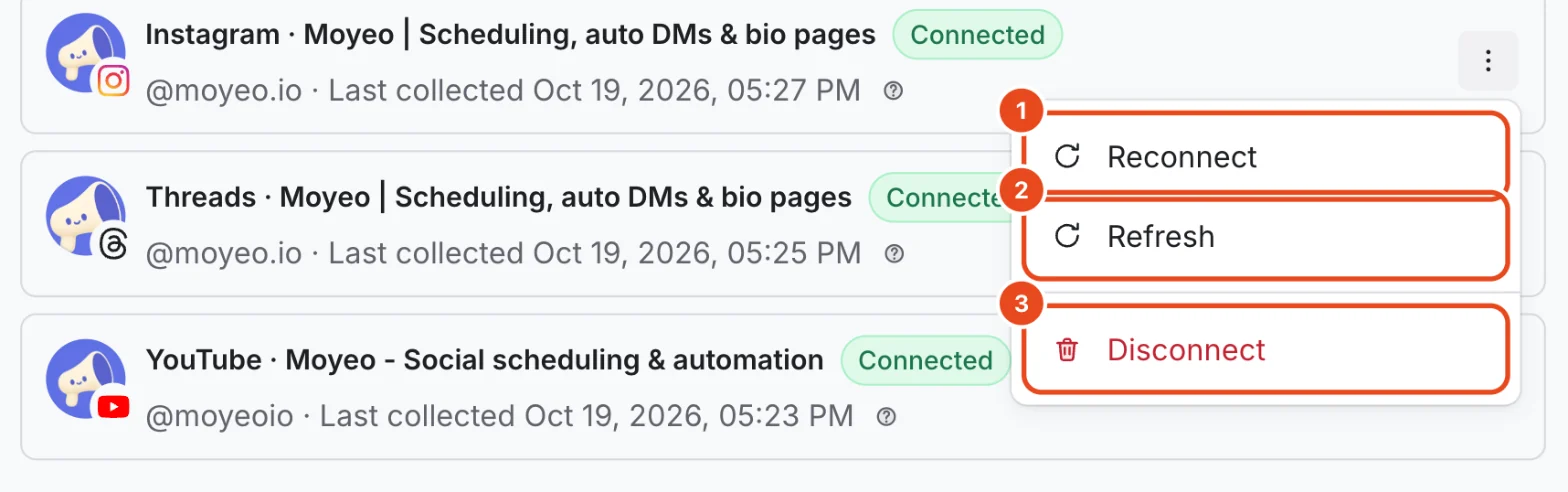
Open the ⋮ menu on the channel's row.
Use Reconnect when the connection dropped or you want to turn on more features or permissions. Log in with the same account you first connected.
Refresh fetches the channel's posts, comments and analytics right away. How often you can refresh depends on your plan.

Disconnect a channel
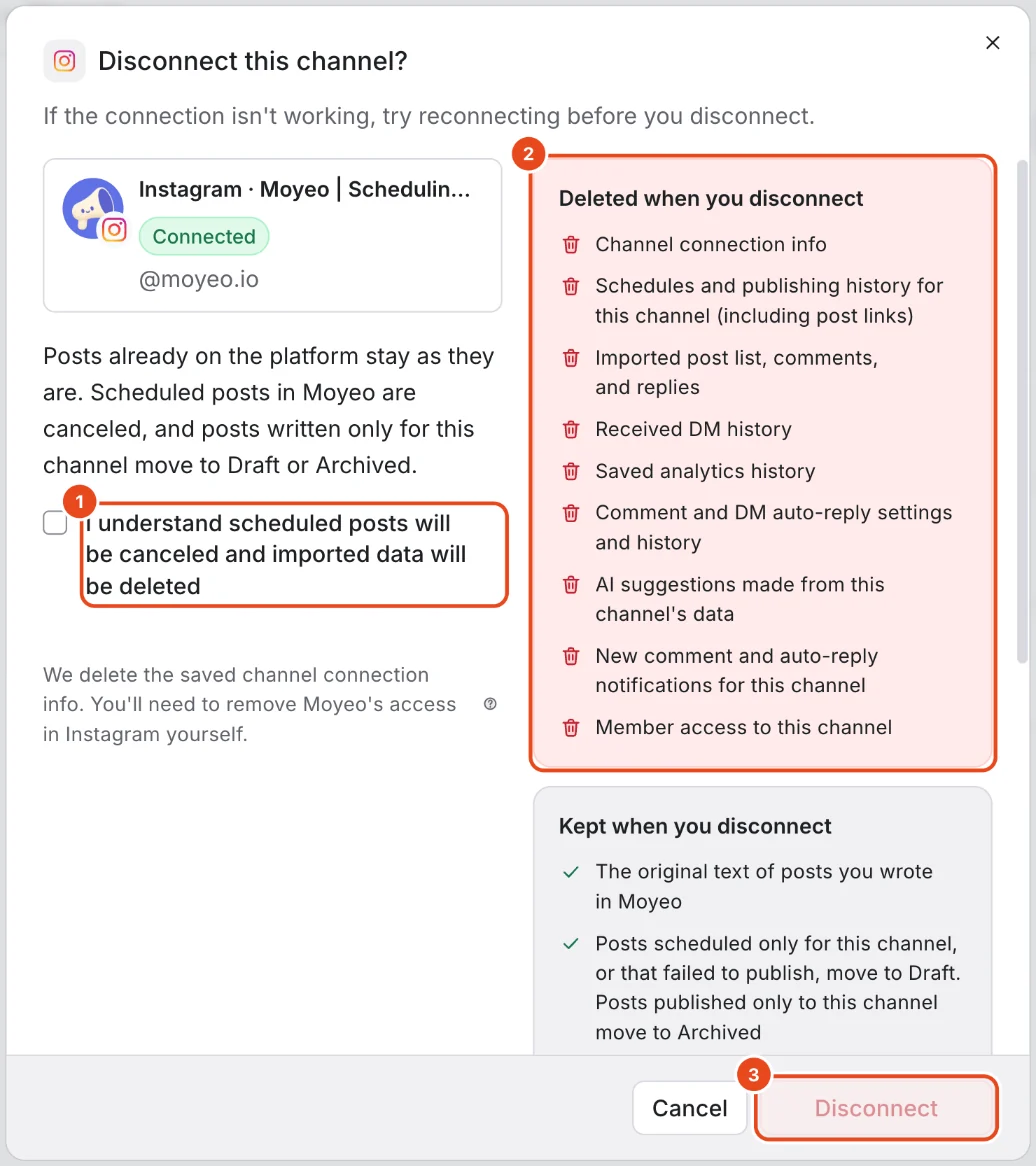
Press Disconnect in the channel menu. If the connection isn't working, try reconnecting first.
Check Deleted when you disconnect and Kept when you disconnect in the window. Scheduled posts are canceled, and imported posts, comments, analytics history and auto-reply settings are deleted. Posts you wrote in Moyeo and posts already on the platform stay.
Check I understand scheduled posts will be canceled and imported data will be deleted, then press Disconnect.

Options at a glance
| Platform | What you connect | What you can use | Good to know |
|---|---|---|---|
| A Business or Creator account | Publishing, comment and DM auto-replies, analytics | Personal accounts can't be connected. | |
| Threads | A profile | Publishing with location, replies and mentions, analytics | Any account works. |
| YouTube | A channel | Shorts, comments, analytics | Shorts must be square or vertical videos. |
| Status | What it means |
|---|---|
| Connected | Posts go out and comments and analytics come in as usual. |
| Checking connection | Moyeo is refreshing the connection. Check back in a moment. |
| Reconnect needed | The connection dropped. Scheduled posts won't go out until you reconnect. |
Free and paid plans
| Item | Free | Pro | Team |
|---|---|---|---|
| Connected channels | 3 | 10 | 100 |
| Different channels you can connect | 8 | 100 | 1,000 |
| Refresh interval (minutes) | 60 | 10 | 5 |
| Comment history (days) | 30 | 730 | 730 |
| Channel access per member | Not included | Not included | Included |
Instagram and Threads on the same account count as two channels. On the Free plan, the channel count is shared across all the Free plan workspaces you own. Reconnecting a channel you've connected before doesn't use up your count of different channels.
Good to know
- Moyeo never asks for your platform password. It only uses the access you allow when connecting.
- Moyeo refreshes connections on its own. If it can't, the channel switches to Reconnect needed and we let you know in the app and by email.
- When you connect a channel, Moyeo brings in past comments and analytics for your plan's history period. The first import can take a little while.
- Only the owner and admins can connect, reconnect or disconnect channels. Members post and reply on the channels they're allowed to use.
- Newly connected channels start with the workspace time zone for their posting schedule. You can change it per channel in the posting schedule.
Frequently asked questions
Instagram won't connect.
Personal accounts can't be connected. Switch to a professional (Business or Creator) account in the Instagram app settings, then connect again.
A channel says Reconnect needed.
This happens when the platform connection expires or the platform cuts off access. Press Reconnect in the channel menu and log in with the account you first connected. The features you picked stay as they are.
Can one channel be in several workspaces?
No. A channel connects to one workspace only. To move it, disconnect it in the original workspace, then connect it again in the new one.
Will disconnecting delete my posts on Instagram?
No. Posts and comments on the platform stay as they are. Only the data imported into Moyeo and your scheduled posts are removed.
If I reconnect a channel, does its history come back?
Yes. Moyeo brings comments and analytics back in for your plan's history period. Deleted auto-reply settings don't come back.